What need does VPN meet?
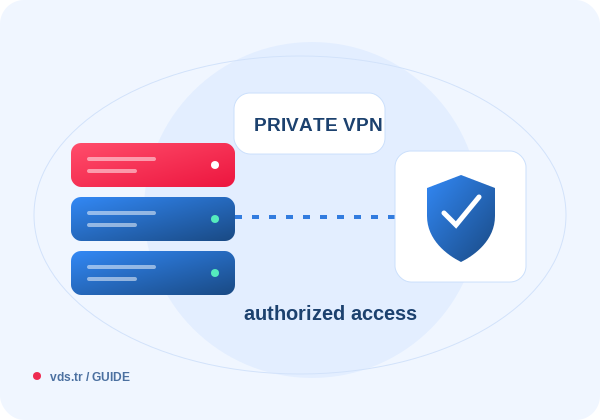
If you want specific people to access the company application or remote desktop, you should also plan the connection path. Private VPN can create a controlled access layer for authorized users. Using a VPN does not make application passwords, system updates or user authorizations unnecessary; These measures should be considered together.
Detach server with private local network
With appropriate network configuration, the server's management connections coming directly from the internet can be closed and access can be provided via VPN. Private local network is a separately paid additional service for this need. Local network here does not mean wireless Wi-Fi. The need for internet access and which services will be opened to the outside are determined separately.
Installation and connection scope
Vds.tr private VPN server has a one-click installation option. No additional license fees are charged for two simultaneous connections; VPN server The package itself is paid. Share more user needs and connectivity coverage before bidding. Specifying the number of people to connect simultaneously as well as the number of users makes it easier for you to choose the right solution.
Keep access rules up to date
Give VPN account only to people who need it; Prefer trackable user management instead of shared access information. Review permissions as the team changes. remote desktop For database and management interfaces, list which users will connect to which server. This reduces confusion during both initial installation and subsequent maintenance.
Example: server to which only the authorized team connects
Three people need to access the accounting server, but if a maximum of two people will work at the same time, share these two information separately. Number of access accounts and concurrent connection limit are not the same concept. Consider VPN, server and application side permissions together. Clearly define which services users can access. When removing an employee's access, review not only the VPN account but also the application and server accounts. Once the installation is complete, in addition to testing the authorized connection, also check that direct access from outside is restricted as you intended.
Consider both sides of the connection in a VPN plan
In a VPN solution, it is not enough to just talk about server-side settings. It is also important to determine which devices the team will connect to, keep these devices updated, and protect user information. Sessions remaining open on shared devices may increase the risk of access. Keep track of who owns the accounts and remove permissions when the need for work is finished. Create a process where users don't need to share passwords or connection keys when getting support.
Test that the network configuration works as you expect. Check if the required applications can be accessed while the VPN connection is open, and if the management interfaces that should be restricted are still accessible when the connection is closed. Instead of opening each service with the same access rule, separate them according to their intended use. Write separate requirements for private local network, internet access, and remote desktop access. This scope helps the technical team plan the right configuration.
Compare dedicated VPN packages
Check out the options related to this article with their current prices. Evaluate resources according to the needs of your own application.
Current packages and prices are loading…
Curiosities
Are a VPN server and a private local network the same product?
No. VPN is the connection layer used for access; Private local network is related to the network layout of the servers. Private local network is considered a separate paid additional service.
Secure Access to Your VDS with a Private VPN
If you want specific people to access the company application or remote desktop, you should also plan the connection path. Private VPN can create a controlled access layer for authorized users. Using a VPN does not make application passwords, system updates or user authorizations unnecessary; These measures should be considered together.
Where can I see current packages and prices?
You can compare live packages and supported payment periods on the relevant product page. Current price and availability are checked again before ordering.
Source and scope
Microsoft: Remote Desktop connection and access requirements ↗
This guide has been prepared by the VDS.tr Publishing Team to assist in service selection. Current product scope on the relevant service page, service provider and broadcast method on the resources page you can review. Source selection and security steps vary depending on your application.
VDS purchasing steps · Data center infrastructure · Business email