
An economical start
Check out entry-level packages for small Linux projects and test environments. Take into account the RAM needs of the services you will run.
Economical VPS options →Choose the server suitable for your project at current prices. cloud VDS Windows desktop and private VPN compare their packages; Start your business by renting monthly or yearly.
 Turkey · Kocaeli live prices Selection in one basket
To rent a server located in Turkey, check out cloud VDS, Windows desktop and private VPN options. Compare monthly or annual VDS prices, add the server that suits your needs to the cart.
Compare processor, memory and storage. For projects that manage their own operating systems and applications.
Packages are loading…
Options to remotely access your accounting, ERP and Windows applications. Windows trial installation is offered; license not included.
Packages are loading…
Choose your package for a private VPN connection with Turkey location. There is no additional license fee for two simultaneous connections.
Packages are loading…
Prices are the total service fee for the selected period and exclude VAT. Price and availability are checked again before the basket is transferred.
When renting a VDS, consider not only the price, but also the requirements of your application and the need for management.
Check out entry-level packages for small Linux projects and test environments. Take into account the RAM needs of the services you will run.
Economical VPS options →Consider the Kocaeli location for your users in Turkey. Consider the data location of server, backup and external services together.
Turkey VDS advantages →From package selection to ordering, from first connection to security settings, see what you need to know before you start.
How to get VDS? →The resource needs of a web application, database, and Windows desktop are not the same. Take the requirements recommended by your application as a starting point.
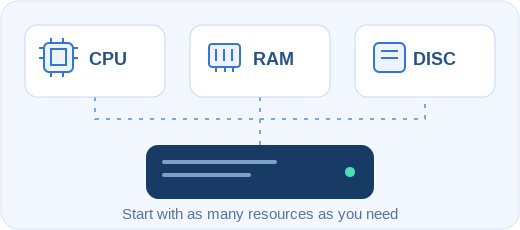
Take into account the services that will work together and the users that will connect at the same time.
Leave space for files, database and log records; Plan for backup needs separately.
Compare monthly and annual amounts, including taxes and any license or additional service fees.
Assemble your packages. Once the current offer is verified, continue to the İsim Kayıt order screen with your confirmation.
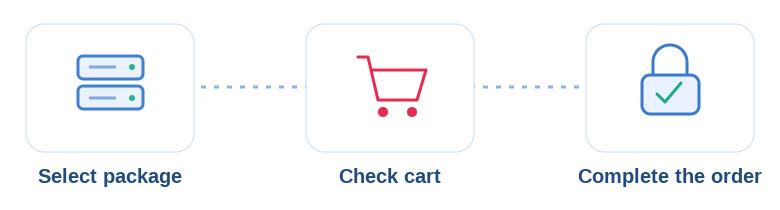
List which applications you will be running, the operating system, and the expected user load. If you're unsure, use the resource selection tool on the cloud server page.
After choosing your server, plan management, access security and backup steps. If you share your technical needs, we can evaluate the appropriate service together.
Let's plan my project togetherFirst determine what you will run on the server. Compare cloud VDS for web applications, desktop VDS for Windows programs, private VPN packages for encrypted remote access. Select the product and payment period that suits your needs and add it to the cart.
When purchasing a VDS, what you are purchasing is not ownership of the physical device, but server service for the period you choose. Choose CPU, RAM and storage according to your application; Review licensing, backup and management coverage before ordering.
In these services, both expressions describe purchasing virtual server use for the period you choose. You do not inherit ownership of the physical device. Payment term and service terms depend on the product you choose.
Turkey cloud VDS, Windows desktop VDS and private VPN products in the live catalog are listed separately on this page. Packages with a verified price for the payment period you selected will be shown. Economic VPS and Turkey VDS pages also explain the same cloud products according to different needs.
First select the monthly or annual payment period. The amount listed is the total service fee for that period and excludes VAT. Do not treat the annual amount as a monthly price; Also take into account licensing and any additional services.
Check your application's CPU, RAM and disk needs before finding the lowest price. Economical VPS packages can be considered for lightweight Linux projects and test environments. Windows or intensive database use may require different resources.
Check out desktop VDS packages. Check your app's Windows version and resource requirements. Windows trial installation is offered; license not included.
Examine the period and supported options with the package selection button and add the product to the vds.tr cart. After the current offer verification and approval, account and payment transactions continue on İsim Kayıt.
Yes. You can add different packages and configurations as separate items. The basket holds up to 10 pens. The eligibility and price of all items for transfer are verified.
This page shows products located in Turkey. The infrastructure is in Kocaeli. Also consider the location of backups and external services you will use.
You do not have to get a domain name to access the server by IP address. If you are going to publish a website or domain-related service, you can use your existing domain name or register a new domain name.
You can rent monthly server packages with a monthly period in the catalogue. When you switch to the annual option, the amount that appears is the total annual fee. In both periods, VAT and additional options are checked in the basket offer.
After payment and order confirmation, you can follow the installation status from your customer panel. When the server is ready, you will access your IP and access information from the panel. Installation time may vary depending on the product selected and order confirmation.
Have questions about source, migration or package selection? Evaluate your project with our sales team.