Search phrases are different, need may be similar
on the internet buy VDS The phrases , rent a VDS, and rent a server are often used to describe the same need: to run an application on a remote server. However, choosing a service package is not the same as purchasing ownership of the physical device. It is important to understand what you are getting and for what period you are paying before ordering.
What do you choose in VDS package?
VDS service, you choose a virtual server with specific processor, memory, storage and connection conditions. You pay a service fee monthly or for another supported period. Receiving a package is physical data center It does not mean that the hardware is transferred to you. Learn from the terms how data operations will be handled upon renewal and service termination.
Physical hardware needs are evaluated separately
If you want to host your own device or plan hardware for your specific project, consider data center services. Rack space, power consumption, connection and intervention scope become important in such a project. Do not compare standard VDS packages and device hosting offers based on monthly figures alone; Their scopes are different.
Purchase path based on your app
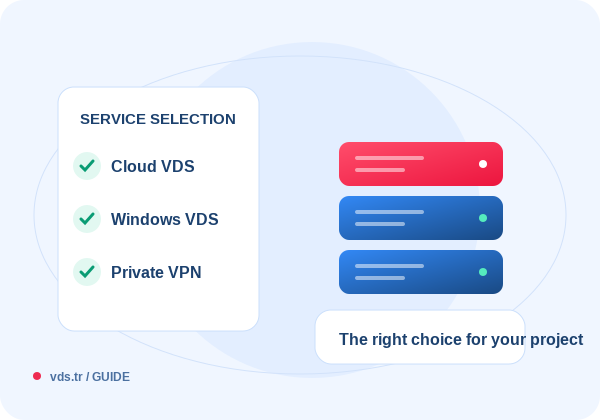
Cloud VDS for web application and services, for working with Windows desktop desktop VDS, for controlled connection private VPN Check out your options. More than one service may be required in the same project. You can combine your selections in the cart on vds.tr, and after checking the current price, you can continue your customer account and payment transactions on İsim Kayıt.
Example: choosing your first server
If you're considering purchasing a physical device to publish a new web application, consider hosting and operating needs in addition to the hardware cost. If your project can run on a VDS with appropriate resources, you can start with the service package without purchasing a device. On the other hand, a project with certain hardware or physical access conditions requires different evaluation. First select the technical terms of the application, then the service model. Clearly describing your needs allows you to make a better comparison than simply making a decision based on the first option you come across when searching for “buy a server.”
Separate VDS, desktop and data center options
Running a web application, connecting remotely to a Windows desktop, and hosting your own physical device are different needs. In the first, cloud VDS resources, in the second, operating system and desktop access, and in the third, energy and physical hosting coverage come to the fore. Even though similar words are used when searching, choose the service you will order with this distinction. This way, you can compare the features required by your application across the right product family.
Keep the difference between receiving monthly service and device ownership during the payment period. Read the service renewal, data retention and cancellation conditions. If it is known that the project will only take a few months, explain your need accordingly; For long-term corporate use, share the growth and maintenance plan. If you need more than one component, consider the server, email and domain separately and combine them in the same project plan.
Compare Turkey VDS packages
Check out the options related to this article with their current prices. Evaluate resources according to the needs of your own application.
Current packages and prices are loading…
Curiosities
Does purchasing VDS mean owning the physical server?
No. You use the server service with the resources specified in the VDS package. Purchasing physical hardware and hosting devices are different service and ownership models.
Renting a Server vs Buying a VDS: What Is the Difference?
On the Internet, the expressions buy VDS, rent VDS and rent a server are often used to describe the same need: to run an application on a remote server. However, choosing a service package is not the same as purchasing ownership of the physical device. It is important to understand what you are getting and for what period you are paying before ordering.
Where can I see current packages and prices?
You can compare live packages and supported payment periods on the relevant product page. Current price and availability are checked again before ordering.
Source and scope
This guide has been prepared by the VDS.tr Publishing Team to assist in service selection. Current product scope on the relevant service page, service provider and broadcast method on the resources page you can review. Source selection and security steps vary depending on your application.
VDS purchasing steps · Data center infrastructure · Business email