Compare same payment period
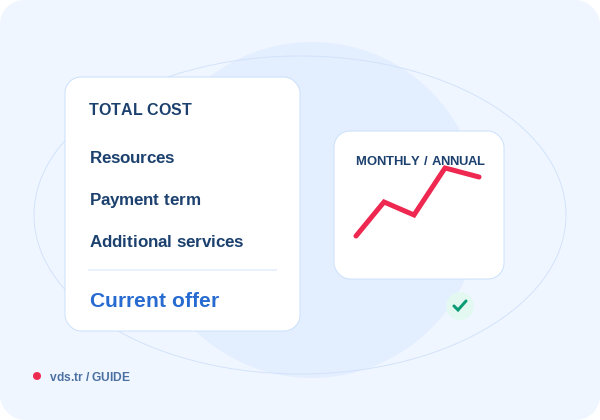
One server The monthly amount in the offer is not the same as the monthly equivalent of the annual payment. First check when the payment will be made and how much in total. Read whether the price shown in the annual selection is the total for the entire year. Directly comparing prices excluding VAT to totals including tax can also mislead your budget.
Scope is as important as resources
VDS prices processor, RAM may vary depending on storage and connection conditions. Two packages with the same amount of RAM may have different disk capacity or traffic coverage. Getting more resources than your application needs creates unnecessary costs, while choosing insufficient resources can affect uptime and user experience. The priority is not to find the lowest figure, but to see the total cost that meets your needs.
List additional expenses from the beginning
Operating system and application licensing, backup, migration and management support may be separate by offering. Separate the initial installation expense from the regular renewal expenses. For example, if you are going to use an accounting application, learn the license terms of your application provider in addition to the server fee. Do not create a budget by accepting services that are not included as free.
Decide with live price
An old screenshot or fixed price on the blog may not show the current order amount. For this reason, we do not fix package prices in this guide. Compare products by selecting monthly and yearly periods in the current catalogue; Check the current total in your basket check. If there is a price change, you need to evaluate the new amount before proceeding with the payment flow.
Example: evaluating two offers in the same context
If one quote includes monthly payments and the other includes annual payments, first find the totals for the same period. Then write the processor, RAM, disk and traffic information side by side. If the license or backup is included in one and separate in the other, show them on a separate line. If there is a first term campaign, also read the renewal terms. This way you can understand how the low initial figure continues in subsequent periods. Ask about the scope rather than producing estimates for yet-to-be-disclosed expenses. When your list of needs is ready, evaluate your budget for the last time through the live catalog and basket check.
Don't budget just for the first payment
When evaluating a VDS offer, take separate note of the initial term fee, subsequent renewals and additional services. An annuity may fit your budget; However, if the duration of the project is not yet clear, consider the flexibility of the payment period. Learn the conditions for changing packages or terminating service if your needs change. Don't assume that choosing long-term automatically entitles you to a discount or refund; Decide based on prevailing conditions.
Linking the price comparison to a specific business need makes the result more understandable. For example, a project that will run only the company site and the desktop accounting application do not include the same cost items. In the latter case, Windows and application licenses may also come to the fore. Clarify the coverage you need rather than adding services you won't use. Read the price in the current catalog together with the verified total of the cart.
Compare Turkey VDS packages
Check out the options related to this article with their current prices. Evaluate resources according to the needs of your own application.
Current packages and prices are loading…
Curiosities
Can I see a price on the blog exactly in the order?
Package prices may change over time. This guide is not a fixed price quote; You can see the current amount in the live catalog and in the basket check before ordering.
How to Compare VDS Prices and Total Costs
The monthly amount in a server quote is not the same as the monthly equivalent of an annual payment. First check when the payment will be made and how much in total. Read whether the price shown in the annual selection is the total for the entire year. Directly comparing prices excluding VAT to totals including tax can also mislead your budget.
Where can I see current packages and prices?
You can compare live packages and supported payment periods on the relevant product page. Current price and availability are checked again before ordering.
Source and scope
This guide has been prepared by the VDS.tr Publishing Team to assist in service selection. Current product scope on the relevant service page, service provider and broadcast method on the resources page you can review. Source selection and security steps vary depending on your application.
VDS purchasing steps · Data center infrastructure · Business email