In what situation is port control useful?
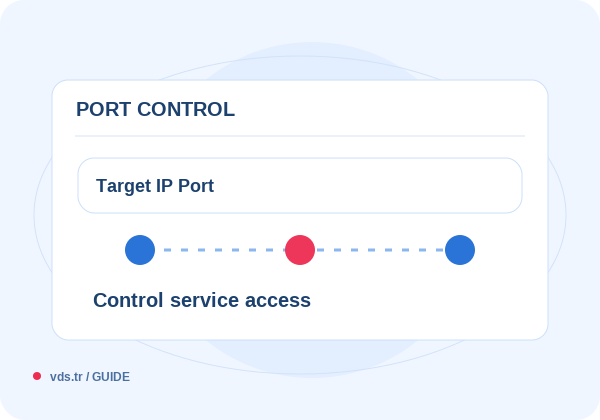
Just because you can access a server over the network does not mean that you can connect to every application on it. PortKontrol.com IP address or server Allows you to control a specific port by name. Use it on your own server or on the service you are authorized to manage. Before testing, know which application you want to connect to and the configured port of that application; Do not accept the default number as correct in all cases.
Verify IP and port together
Testing with the wrong IP or wrong port can make a running service appear down. Compare the server address in the client panel with your application's connection setting. Domain registration If you are using it, also check the DNS response. A common source of confusion is that the old target remains when switching to a new server. First clarify the goal, then start examining the network and application settings based on the test result.
Closed result does not indicate a single cause
The service not running, only listening on the local address, firewall, network rule, or connection timeout can produce similar results. Therefore, do not directly infer from the closed port result that the server is corrupt. Review the application status and related permissions separately. If you are going to make a permission change, define access only to the required resource and service; Do not try by turning off all protections.
Consider RDP access with security
Windows desktop VDS while using remote desktop Don't evaluate your reach solely in terms of connecting. User accounts, strong passwords, and allowed networks are also important. Instead of opening management access directly to the entire internet, you can use private VPN You can discuss the model. If the service behind the VPN appears down in public internet testing, this may be a result of its planned access pattern. Also consider the test from an authorized connection.
Port is not enough in web application
Just because a port is accessible does not prove that all functions of your website are working correctly. Certificate, domain matching, application response, and user session are separate controls. Open the web service in the browser, try the necessary actions and review the error logs. Port testing is one step in this chain. When choosing a server resource, consider the actual need of the application and the expected user load.
How do you want support with results?
Specify the server address, port, test time, and the application you are trying to connect to. You can compare the behavior of the same connection over office internet and authorized VPN. Do not include access information or passwords in the report. Windows VDS, general-purpose VDS, and private VPN serve different needs. To choose the right service, explain not only the port result but also your working style to the sales or support team.
Curiosities
Verify IP and port together
Testing with the wrong IP or wrong port can make a running service appear to be down. Compare the server address in the client panel with your application's connection setting. If you are using a domain name, also check the DNS response. A common source of confusion is that the old target remains when switching to a new server. First clarify the goal, then start examining the network and application settings based on the test result.
How to Check Server Ports for RDP and Web Access
Just because you can access a server over the network does not mean that you can connect to every application on it. PortKontrol.com allows you to control a specific port by IP address or server name. Use it on your own server or on the service you are authorized to manage. Before testing, know which application you want to connect to and the configured port of that application; Do not accept the default number as correct in all cases.
Where can I see current packages and prices?
You can compare live packages and supported payment periods on the relevant product page. Current price and availability are checked again before ordering.
Source and scope
Port Control — official tool ↗
This guide has been prepared by the VDS.tr Publishing Team to assist in service selection. Current product scope on the relevant service page, service provider and broadcast method on the resources page you can review. Source selection and security steps vary depending on your application.
VDS purchasing steps · Data center infrastructure · Business email