What question does Looking Glass answer?
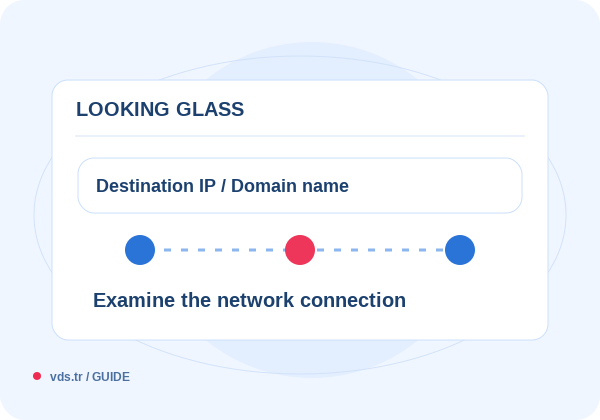
Just because you can access the server from your own computer does not mean that all networks use the same path. Looking Glass is used to evaluate network connectivity from a different perspective. İsim Kayıt target IP address on the Looking Glass page or domain name is entered, one of the available methods is selected and the control is started by examining the terms of use. The tool helps you get a concrete test result while describing the connection problem.
Evaluate connectivity before purchasing VDS
VDS when choosing CPU The location of the people who will access the application is as important as RAM and disk. If you are going to serve your users in Turkey, compare Turkey-located VDS packages with their resource and connection needs. A good test result does not guarantee the same latency for every user. Your office internet, mobile connection and the networks your customers use may produce different results.
Don't reduce measurement to a single result
Taking measurements under similar conditions at different times of the day is more useful than a single screenshot. Note the target, testing time, and method you chose. Just because network devices do not respond to some tests does not mean that the application is not working. Link detection includes website opening, application response time, and server Evaluate with resource usage. Try to distinguish at which stage the problem started.
What information should you include in the support request?
Instead of explaining the problem as "the server is slow", write down which service you cannot access, from which internet connection, and at what time. Share the test goal and your result; Do not add a password or access key. Specifying if the same issue occurs on another link makes it easier to investigate. The Looking Glass result is supporting data; It is not a substitute for an outage cause or service level report alone.
Which service is used with it?
When purchasing a VDS for a new application, consider network testing as part of the package selection. If you need local infrastructure Turkey VDS Check out the page and data center descriptions. If your application will be open only to the authorized team, consider the private VPN option separately. Setting up a VPN and measuring the connection of an application open to the internet are different tasks; Select the test target according to your usage.
How do you move forward after testing?
First make sure the target you are measuring is correct. Then check direct access to the same application and take a second comparable measurement. If resources are insufficient, a higher VDS package may be required; If there is a DNS or connection problem, upgrading the package alone will not provide a solution. Separating the findings allows you to choose the right service and avoid unnecessary changes.
Curiosities
Evaluate connectivity before purchasing VDS
When choosing a VDS, the location of the people who will access the application is as important as the CPU, RAM and disk. If you are going to serve your users in Turkey, compare Turkey-located VDS packages with their resource and connection needs. A good test result does not guarantee the same latency for every user. Your office internet, mobile connection and the networks your customers use may produce different results.
Using Looking Glass to Check Network Routes and Latency
Just because you can access the server from your own computer does not mean that all networks use the same path. Looking Glass is used to evaluate network connectivity from a different perspective. On the İsim Kayıt Looking Glass page, the target IP address or domain name is entered, one of the available methods is selected and the control is started by examining the terms of use. The tool helps you get a concrete test result while describing the connection problem.
Where can I see current packages and prices?
You can compare live packages and supported payment periods on the relevant product page. Current price and availability are checked again before ordering.
Source and scope
Looking Glass — official tool ↗
This guide has been prepared by the VDS.tr Publishing Team to assist in service selection. Current product scope on the relevant service page, service provider and broadcast method on the resources page you can review. Source selection and security steps vary depending on your application.
VDS purchasing steps · Data center infrastructure · Business email