Store your access information safely
Server After installation, check the address and access information on the panel. Do not share this information in public messages. Check the support period of the Linux distribution you will use and its compatibility with your application. Instead of running commands you find on the internet with administrator privileges without understanding them, consult your distribution's official documentation.
Turn on only required services
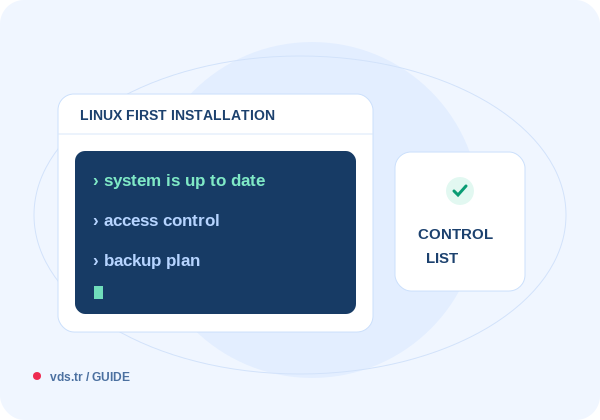
Apply system updates and determine which services should be accessible externally. The management connection, web application, and database do not need the same access rule. Prepare a way back to avoid accidentally cutting off your existing administrative access during firewall changes. Examining the default open services is an important part of the installation.
Try the application in real conditions
Check connectivity, error logs, disk usage, and processing-intensive behavior before publishing the application. Just because a service appears to be running does not mean that all user operations are successful. Test key steps of your project, such as login, registration, file upload or report. If you're migrating from a legacy system, also verify data consistency.
Don't postpone backup and monitoring
Determine which data will be backed up, how often and where. Trying to restore is as important as creating a backup. Set up monitoring for disk occupancy and resource usage. Server availability alone does not explain application performance; Evaluate with error logs and application metrics. If installation and management support is required, further clarify its scope.
Example: preparing a web application for publication
First run the application at the test address. If you don't need to expose the database, limit access to what the application needs. Check that the application restarts after the update and that the services are working correctly when the server is restarted. Take note of where error logs are kept; Plan management of recordings that may fill disk space over time. Verify that not only the files but also the required database can be recovered by restoring a test backup. domain name Test web, session and data operations before redirecting to new server. Saving changes saves time during subsequent maintenance.
Create an operating pattern after initial installation
Once your server is up and running, save the changes made. Which software is installed with which version, the location of configuration files and how the services are managed are important during maintenance. Do not keep passwords or private keys exposed in these notes. Let someone else from the team know where to start when they take over. Regular maintenance ensures more sustainable operation than connecting to the server only when problems occur.
Schedule updates and backups when your application is off-peak. Prepare the fallback path before the change and retest the underlying operations afterwards. Just being able to connect to the server is not enough; Check that the web application, database and scheduled tasks are also running. Verify the installation commands specific to your distribution from the official documentation. This guide helps you organize first-day checks rather than a universal list of commands.
Compare Turkey VDS packages
Check out the options related to this article with their current prices. Evaluate resources according to the needs of your own application.
Current packages and prices are loading…
Curiosities
Will my application be installed automatically when I purchase Linux VDS?
Installing the selected operating system and installing your custom application are different processes. Clarify the scope of installation and management support you need before ordering.
Your First Checks After Buying a Linux VDS
After the server is installed, check the address and access information on the panel. Do not share this information in public messages. Check the support period of the Linux distribution you will use and its compatibility with your application. Instead of running commands you find on the internet with administrator privileges without understanding them, consult your distribution's official documentation.
Where can I see current packages and prices?
You can compare live packages and supported payment periods on the relevant product page. Current price and availability are checked again before ordering.
Source and scope
This guide has been prepared by the VDS.tr Publishing Team to assist in service selection. Current product scope on the relevant service page, service provider and broadcast method on the resources page you can review. Source selection and security steps vary depending on your application.
VDS purchasing steps · Data center infrastructure · Business email