What does the IP filter record tell?
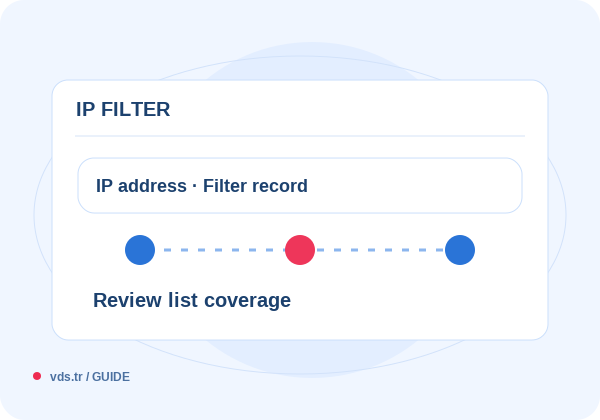
IPFiltre.com.tr is a control center that brings together blacklist IP data. You can review the status of the relevant IP in this system through the query and reporting area on the site. Just because an address is on a certain list does not mean that all services on the internet block it. Similarly, not appearing on the list does not prove that the address is safe under all circumstances. Read the result along with the scope of the list used.
Query the correct IP first
Your domain name can work with multiple services. The website is located server The system sending e-mail does not have to use the same IP. VPN The public address appearing on the link may also differ from these. Do not compare random results without determining the IP of the problem you want to examine. If necessary, clarify the target with IP address query and DNS checking tools; then evaluate the relevant filter record.
Don't confuse blacklisting with email rejection
A recipient system's rejection of an email may be based on different technical or policy reasons. The IP filter result can assist in this investigation, but is not a substitute for the rejection message. Note the error code and sending time in the message. If you're having email issues, also consider SPF, DKIM, and DMARC findings. Not every blacklist entry has the same impact; Do not directly generalize the result to all your mail traffic.
What should you do if you think there is a faulty record?
According to the description on the site, you can request a review for the record that you think is incorrect. This is not a guarantee of removal; relevant evaluation is made. First check if the IP belongs to you or the system you manage and if the problem persists. If there is unwanted traffic or a compromised account on the server, simply filing a deregistration request will not solve the root cause. Share the findings with your service provider.
Be careful when applying the filter list to your network
Adding a blacklist to a firewall is an operational decision. Legitimate customers, shared networks or service dependencies may be affected. Plan the scope, update, and rollback method before deploying to the production environment. This guide does not recommend a blocking rule; It aims to interpret the control result correctly. Create your security policy together with your application's needs and your authorized technical team.
What is its relationship to VDS selection?
VDS After purchasing, regularly monitor system updates, access rights and application maintenance. Network reputation checking is only part of this maintenance. Even if server resources are sufficient, a poorly configured application may experience connectivity or security issues. Choose the VDS package that suits your needs, learn management responsibilities, and share measurable findings in your support request. Use tool results as decision support.
Curiosities
Query the correct IP first
Your domain name can work with multiple services. The server where the website is located and the system that sends e-mail do not have to use the same IP. The public address that appears on the VPN connection may also differ from these. Do not compare random results without determining the IP of the problem you want to examine. If necessary, clarify the target with IP address query and DNS checking tools; then evaluate the relevant filter record.
How to Check an IP Blacklist and Understand the Result
IPFiltre.com.tr is a control center that brings together blacklist IP data. You can review the status of the relevant IP in this system through the query and reporting area on the site. Just because an address is on a certain list does not mean that all services on the internet block it. Similarly, not appearing on the list does not prove that the address is safe under all circumstances. Read the result along with the scope of the list used.
Where can I see current packages and prices?
You can compare live packages and supported payment periods on the relevant product page. Current price and availability are checked again before ordering.
Source and scope
This guide has been prepared by the VDS.tr Publishing Team to assist in service selection. Current product scope on the relevant service page, service provider and broadcast method on the resources page you can review. Source selection and security steps vary depending on your application.
VDS purchasing steps · Data center infrastructure · Business email