What does a mail test show?
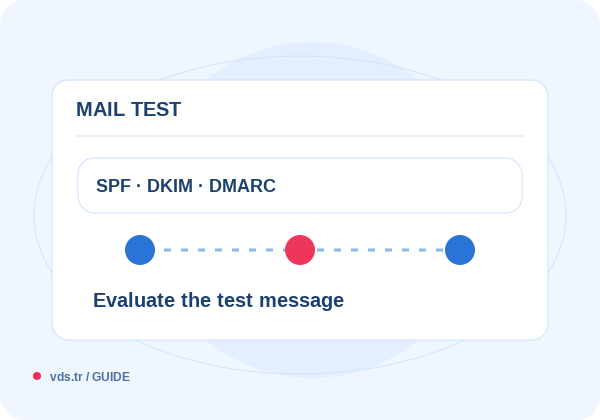
Just because your email appears sent doesn't guarantee it reaches every recipient's inbox. MailTesti.com allows you to review spam score and email verification findings through the test message. The site also includes tools related to SPF, DKIM, DMARC and blacklisting. Use the results as a starting point for diagnosis; Do not assume that a single test represents the decision of all receiving systems.
How should you prepare the test message?
Send a message from your own system to the test address created by following the instructions on the site. Choose a sample that is representative of your actual usage and does not contain personal or confidential information. Make a note of which account and application you sent from. If webmail and the desktop program use different sending settings, separate tests may be required. When no results are available, first check that the message was sent and the destination address is written correctly.
Why are SPF, DKIM and DMARC considered together?
These mechanisms undertake different tasks. SPF is the authority of the sending systems, DKIM is the message signature, DMARC is the authority of the sending systems. domain name Helps evaluate alignment and related policy. Just because a record exists does not mean that it has been implemented correctly. Read the results and compare them with your service's recommended values before making changes. Hardening policy without knowing the current corporate senders can also affect legitimate messages.
Spam score is not the only decision criterion
In addition to technical records, recipients can also use signals such as sender reputation, message content and sending behavior. A high test score does not guarantee placement in the inbox. If the result is low, see which control is reporting the problem. Instead of changing every setting at once, correct one finding and measure again. This way, you can track which changes are effective more clearly.
Use in corporate email migration
When migrating company email, include tests in the migration plan. If your domain name is also managed in the same panel, you can benefit from the supported automatic DNS setup. Then test the incoming and outgoing message separately. Business email Choose your package according to the number of employees and your capacity needs. This service is for business correspondence; It is not used for mass advertising or unauthorized commercial message sending.
Escalate the technical finding to the support team
Share the test time, sender domain, and the error banner that appears. You don't need to send passwords, customer correspondence, or sensitive attachments. Note that domain DNS settings and mail client settings are different. If a message does not reach a specific recipient, the receiving system's rejection message is also important. Evaluating the test report with this message, random server or a more useful start than a package change.
Curiosities
How should you prepare the test message?
Send a message from your own system to the test address created by following the instructions on the site. Choose a sample that is representative of your actual usage and does not contain personal or confidential information. Make a note of which account and application you sent from. If webmail and the desktop program use different sending settings, separate tests may be required. When no results are available, first check that the message was sent and the destination address is written correctly.
How to Test Email Delivery, SPF, DKIM and DMARC
Just because your email appears sent doesn't guarantee it reaches every recipient's inbox. MailTesti.com allows you to review spam score and email verification findings through the test message. The site also includes tools related to SPF, DKIM, DMARC and blacklisting. Use the results as a starting point for diagnosis; Do not assume that a single test represents the decision of all receiving systems.
Where can I see current packages and prices?
You can compare live packages and supported payment periods on the relevant product page. Current price and availability are checked again before ordering.
Source and scope
This guide has been prepared by the VDS.tr Publishing Team to assist in service selection. Current product scope on the relevant service page, service provider and broadcast method on the resources page you can review. Source selection and security steps vary depending on your application.
VDS purchasing steps · Data center infrastructure · Business email